
The guide
STL Writes Every Corner Again and Again. A Good OBJ Says It Once and Knows What Touches What
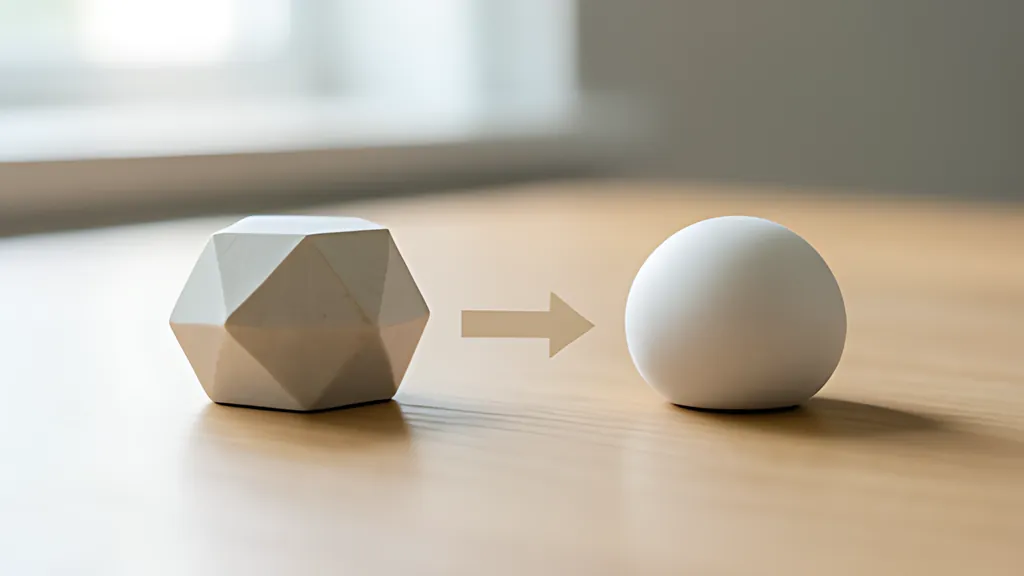
Converting STL to OBJ is mostly an act of recovery: finding the shared corners a triangle list threw away, then checking whether the surface they rebuild is really closed.
- 84 + 50 x N bytes the exact size of a binary STL that holds N triangles
- 6,948 to 1,160 corners welded into vertices in the two-part example
- V - E + F = 2 the count every closed, ball-shaped surface must satisfy
- 1987 the year STL appeared, for the first stereolithography machines
Read the full guide Fold the guide
An STL file is a list of triangles and nothing else. Each triangle arrives with its own three corners and a normal, and no triangle knows that its neighbour exists. That is the whole format, and it explains almost everything a converter has to do.
STL appeared in 1987, written for the first commercial stereolithography machines, and it changed little over its first two decades. Its job was to hand a closed surface to a program that slices it into layers. For that job a loose pile of triangles was good enough: the slicer only needs to know where the surface is at each height. Everything a designer might also care about, such as colour, texture, material or even the unit of length, was simply left out. The coordinates are in arbitrary units, and the file never says whether 10 means ten millimetres or ten inches.
OBJ comes from the animation world instead. It was first used around 1990, documented as an appendix to the manual of a 3D animation package, and has since become a plain text format that most modelling and CAD programs can read and write. Where STL lists triangles, OBJ lists vertices first and then builds faces out of them by number. A face line says “use vertex 12, vertex 13 and vertex 40”, with counting that starts at 1.
What each file keeps and what it throws away
The two formats look similar because both describe surfaces made of flat polygons. They differ in what they consider worth remembering.
An STL triangle carries twelve numbers: three for the facet normal and nine for its corners, listed counter-clockwise when seen from outside, which is the right-hand rule. The specification asks for the normal and the corner order to agree, so the outward direction is stated twice. A binary STL stores those twelve numbers as single precision floats, preceded by an 80 byte header and a four byte count of triangles, and follows each triangle with two “attribute” bytes that should be zero. Some programs hide a colour in those two bytes, in two incompatible ways, so a careful reader can at least notice that they are being used.
That layout gives binary STL an exact size: 84 + 50 x N bytes for N triangles. This matters more than it seems. The header is free text, and although it should never begin with the word “solid”, some writers start it that way anyway, which is exactly how an ASCII STL begins. A reader that looks at the first five bytes and decides “text” will misread such a file. The size test does not care what the header says. If the count at byte 80 predicts the length of the file to the byte, the file is binary.
ASCII STL has to earn its label by being parsed. It opens with “solid” and a name, then repeats a fixed pattern for every triangle: “facet normal”, three numbers, “outer loop”, three “vertex” lines, “endloop”, “endfacet”, until “endsolid”. One file may hold several solids one after another, and their names are the only grouping STL has.
OBJ keeps more and promises less. Its “v” lines are positions, “vn” lines are normals, which need not even be unit length, and “f” lines join them, optionally as “v//vn” so each corner of a face names its own normal. Groups and objects get names with “g” and “o”. There are no units here either. Both formats were registered as media types fairly late, model/stl in 2018 and model/obj in 2020, long after both had become everyday file types.
Why STL repeats every corner, and what welding gets back
Because an STL triangle owns its corners, a corner shared by six triangles is written six times. On a smooth closed surface made of triangles, each vertex is shared by six on average, so a file usually stores about six copies of every point. The connectivity, which triangle touches which, is not stored at all. A program that needs it has to rebuild it.
Rebuilding it is called welding: every corner is matched against the points already found, and identical ones become a single vertex. The result is the face-vertex form of a mesh, a list of points and a list of faces that refer to them, which is the representation graphics hardware expects. In the two-part example on this page, a ring and a block written as one ASCII file, the 2,316 triangles carry 6,948 corners, and exact welding turns 6,948 to 1,160 vertices. The ring alone is a grid of 48 by 24 points, so each of its 1,152 vertices had been written six times.
Exact welding only joins corners whose three coordinates are bit for bit equal in single precision. That sounds strict, and it is the right default, because a correctly exported closed mesh repeats its corners exactly. A file from a sloppy exporter is different. If one copy of a corner reads 10.000001 and another 9.9999990, exact matching keeps them apart and the surface acquires a crack too narrow to see.
A weld tolerance closes such cracks, at a price. Joining every corner within some distance of another moves points, and a tolerance that is too large will collapse small triangles, merge features that were meant to stay separate, or join the two walls of a thin part. Descriptions of the format warn that repairing a file by moving nearby vertices together gives results that cannot be predicted. So the tolerance should be the smallest distance that closes the cracks, stated in the file’s own units, and the report afterwards should be read rather than trusted.
Normals, smooth shading and the crease angle
A normal tells a renderer which way a surface faces, and therefore how bright it looks under a light. STL gives one normal per triangle. Rendered as it is, every triangle is lit as one flat patch, which is flat shading, and a curved part looks like a cut gem.
Smooth shading needs a normal at each vertex instead, so the lighting can blend across a face. The usual vertex normal is the normalized average of the normals of the faces that meet there, often weighted by face area so that tiny slivers count for little. On a sphere that gives a direction very close to the true radius, and in our checks the smooth normals of a 48 by 24 sphere stayed within about 1.3 degrees of it.
Averaging everything would also round off edges that should stay sharp. A cube shaded that way looks like a pillow. The fix is a crease angle: a face only joins the average at a corner when its normal is within that angle of the corner’s own face. With a crease of 30 degrees the ring stays smooth, because its neighbouring facets differ by a few degrees, while the block keeps its six crisp sides. The cube then needs six distinct normals, and with the crease opened to 180 degrees it needs eight, one per corner, which is the pillow again.
Holes, edges shared three ways, and the volume of a closed mesh
Welding has a second reward. Once corners are shared, edges can be counted, and edges reveal whether the surface is whole.
For an STL to describe a solid, its surface has to be closed: every edge is shared by exactly two faces, and nothing intersects itself. With consistent winding, the two faces use that edge in opposite directions. Each departure from that rule has a meaning. An edge used once is the rim of a hole. An edge used three or more times is non-manifold, typically a fin or two parts touching along a line. An edge used twice in the same direction sits between a face that is wound the wrong way and its neighbour.
The damaged tray example contains one of each. One top triangle is missing, so 3 open edges ring a hole. A fin sticks out from one side, adding an edge used by three faces and 2 more open edges. One bottom triangle is reversed, and its 3 edges each disagree with a neighbour. A last triangle repeats a corner, so it has no area at all and is set aside.
Counting can go one step further. For any closed surface shaped like a ball, the number of vertices minus edges plus faces equals 2, which is Euler’s polyhedron formula, so V - E + F = 2 for a clean single part. A torus gives 0. The ring and block together give 2 again, because 0 and 2 add up. A result that does not fit tells you something about the shape before you have looked at it.
Volume is where closure stops being cosmetic. The volume of a polyhedron follows from the divergence theorem as a sum over its faces, and for triangles that becomes one sixth of the sum of a . (b x c) over the corners a, b and c of every face. The formula quietly assumes that the surface is closed and consistently wound. On an open mesh it still produces a number, but that number depends on where the origin happens to be, which means it measures nothing. The honest response is to show no volume and say why.
Here is the worked example. Open the two-part file with millimetres in and out, and the converter reports 2,316 triangles, 1,160 vertices, no open edges, two parts, V - E + F = 2 and a volume of about 16,705 cubic millimetres. The block is 16 mm on a side, so it contributes 4,096 of those. The ring’s facets lie just inside the true curve, which leaves its volume about 1.4 percent under the smooth torus formula, two times pi squared times 18 times 6 squared. Switch to the damaged tray and the volume disappears, replaced by the list of reasons.
What a converter can and cannot promise
Some things are recovered exactly. Every coordinate in a binary STL is a single precision number, and six to nine significant digits are enough to write such a number in decimal and get the very same value back. That is why a careful converter can write the OBJ, read it again with its own parser, and confirm that every position and every normal came back unchanged.
Other things are simply not there to recover. STL never said what its units were, so the converter must ask. Printing work treats Z as the direction in which layers stack, so STL files usually stand with Z up; a program that expects another axis to point up shows the part lying on its back, so the axes may need a quarter turn. That turn has to be applied to normals as well as positions, or the lighting points the wrong way.
Colours hidden in attribute bytes have no place in OBJ geometry and are lost. And no check of edges can see that two parts intersect each other, or that a wall is too thin to print. A clean OBJ is a better description of the same surface, not a repair of the object it describes.
Sources
Every source consulted for this guide. Links checked October 21, 2026.
- STL (file format) Wikipedia
- STL (STereoLithography) File Format Family Library of Congress, Sustainability of Digital Formats
- STL (STereoLithography) File Format, Binary Library of Congress, Sustainability of Digital Formats
- STL (STereoLithography) File Format, ASCII Library of Congress, Sustainability of Digital Formats
- The StL Format | fabbers.com Ennex Research, reprinted from Automated Fabrication by Marshall Burns
- model/stl media type registration IANA, Media Types registry
- Wavefront .obj file Wikipedia
- Wavefront OBJ File Format Library of Congress, Sustainability of Digital Formats
- model/obj media type registration IANA, Media Types registry
- Polygon mesh Wikipedia
- Vertex normal Wikipedia
- Shading Wikipedia
- Euler characteristic Wikipedia
- Polyhedron Wikipedia
- Single-precision floating-point format Wikipedia