
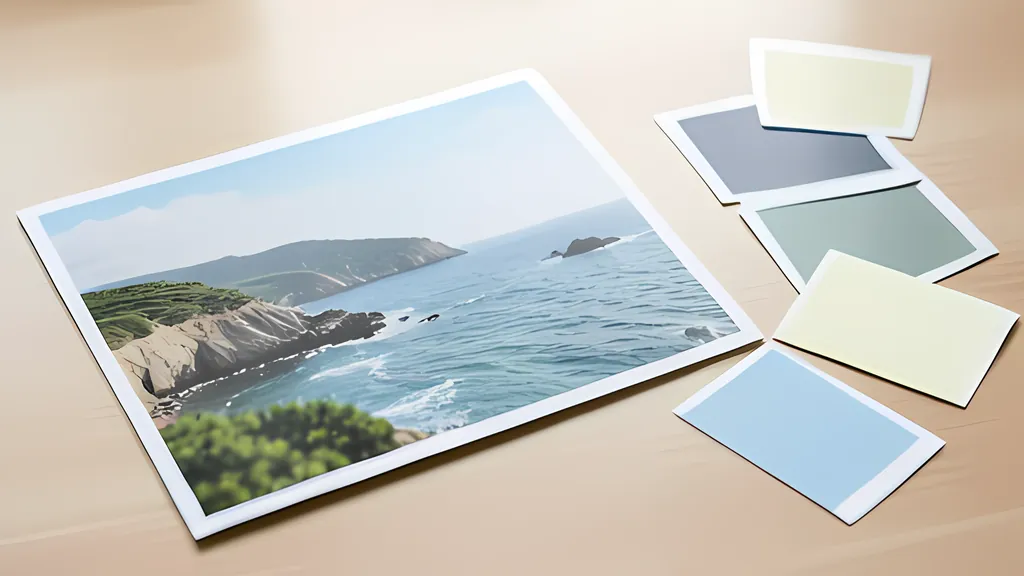
The guide
The average color of a photo is mud. Its palette is a handful of clusters.
Averaging a photograph gives one dull color that appears nowhere in it; grouping its pixels in a perceptual color space gives the few colors a designer can use.
- 0.02 one just noticeable difference in OKLab, as CSS Color 4 puts it
- 1979 the year Paul Heckbert invented median cut
- 4.5 to 1 the contrast body text needs under WCAG 2.2
- 21 to 1 black on white, the top of the contrast scale
- 8 bits per channel all a GIMP palette file stores, and in sRGB only
Read the full guide Fold the guide
Ask what color a photograph is and the lazy answer is arithmetic: add up every pixel and divide. The result is always the same kind of color, a grayish something that sits in the middle of everything and looks like none of it. A coast at dusk, all navy water, pale sand and coral sky, averages to mauve dishwater.
The arithmetic is not at fault. The question is. A photo is a population of colors, and a population is described by its groups: how large each one is and where it sits. A palette is that description, cut down to a handful of entries.
The mean answers a question nobody asked
Take the two most opposed colors a screen can show, pure red and pure cyan, written as 255, 0, 0 and 0, 255, 255. Their average, rounded, is 128, 128, 128. Two of the most vivid colors there are meet in a flat gray. The more varied a picture is, the more surely its mean ends up there.
There is a second flaw underneath. The numbers stored in an image file are not amounts of light. They are sRGB values, bent by a transfer function that was designed so the numbers could drive the cathode ray tubes of the 1990s directly, and most software still does its sums on those bent numbers. Bjorn Ottosson, who designed the OKLab color space, shows a blend of green and magenta computed this way turning much darker and bluer than either the physical mix of light or the mix a viewer would expect. An average is a blend of every pixel at once. It inherits the same error.
Grouping avoids both problems, and the idea is an old one. Around 1980 Paul Heckbert was trying to show full-color pictures on frame buffers that held 8 or 9 bits per pixel, which meant 256 or 512 colors at a time. He treated the job as choosing a few representatives for a cloud of points in a three-dimensional color space. Most standard techniques since have done the same thing: locate the clusters, then let one color stand for each.
A space where distance means difference
Clustering needs a ruler. To say that two pixels belong together is to say they are close, and close has to mean close to the eye, not close in whatever numbers the file happens to store.
The familiar color numbers fail that test. The CSS Color specification gives the plainest example: pure blue and pure yellow both have an HSL lightness of exactly 50 percent, yet the yellow is obviously far lighter. Hue behaves no better. Two blues 30 degrees apart on the HSL wheel look fairly similar, while a yellow and a yellow-green the same 30 degrees apart look very different.
OKLab was built to repair this. Ottosson published it in December 2020 as a color space meant to predict perceived lightness, chroma and hue while staying simple to compute: a matrix, a cube root and a second matrix take a color to three coordinates. L is lightness, a runs from green to red and b runs from blue to yellow. In it the same blue and yellow come out at lightness 0.452 and 0.968, which is what the eye reports. The space is now part of CSS, and the specification puts one just noticeable difference at a distance of 0.02.
That number is the ruler. In OKLab the straight-line distance between two colors is roughly how different they look, so a cluster is a group of pixels that look alike and its center is a fair spokesman for them.
Two ways to cut the cloud
Heckbert’s own answer, invented in December 1979, was median cut. Put a box around all the colors in the picture. Find the box whose longest side is longest and slice across that side at the median, so that half the pixels fall on each side. Repeat until there are as many boxes as colors wanted, then average the contents of each. He built it to replace an earlier method that simply kept the most popular colors. That method, he found, neglects sparse but remote regions of the color cube: grays and low-saturation colors are over-represented, and the highly saturated ones are left out.
K-means starts from the other end. Guess k centers. Give every pixel to its nearest center, move each center to the mean of the pixels it was given, and repeat until nothing changes. The procedure, usually credited to Lloyd, always stops, because every round lowers the total squared distance between the pixels and their centers. Where it stops is another matter.
It stops at a local minimum, and which one depends on the starting guess. That is why careful seeding matters. The k-means++ method of David Arthur and Sergei Vassilvitskii picks the first center at random and each later one with a probability proportional to its squared distance from the centers already chosen, which spreads the starting points across the cloud. They proved that the expected result is within a factor of order log k of the best possible clustering. It is also why one photo can honestly yield two different palettes.
In plain words, median cut shares out the pixels and k-means shares out the error. Median cut gives each half of a box the same population, so a large area of similar color is split again and again. K-means puts its centers where they reduce the squared distance most, which suits compact blobs of color. The scikit-learn documentation is frank that the measure being minimized assumes clusters that are convex and equally wide in every direction, and that it responds poorly to elongated ones. A sky fading from blue to orange is exactly such an elongated cluster, so k-means chops it into beads along its length. Neither method knows which color matters.
A worked palette, its roles and its contrast
The tool on this page opens with a drawn sample, a coast at dusk, and its default settings make a reproducible case: six colors, k-means, arrangement 1, merge distance 0.030. It reads a grid of 256 by 171 pixels and returns sand #e2bc90 at 26.1 percent, blue #3a5283 at 19.9, slate #557093 at 18.1, coral #ca9182 at 12.9, mauve #96768f at 11.6 and navy #2a3c5b at 11.4. The plain average of the same pixels is #867d86. Type that into the Add a color field and it claims 2.3 percent of the picture, and not one analyzed pixel lies within 0.02 of it. Switch to median cut and the sand barely moves, to #e3bd91, while the blues are redrawn.
Roles are a reading of those numbers, and the rules used here are this tool’s own, not a standard. The dominant color is the one with the largest share, the sand. A neutral is any color with a chroma under 0.04, two just noticeable differences from gray, and this picture has none. The accent is the most colorful of the remaining entries that hold at least 2 percent, here the blue at chroma 0.086.
The rule shows its limit at once. The most colorful thing in the picture is a small red sail with a chroma of 0.192, more than twice the accent’s. It covers 0.3 percent of the pixels, so no cluster forms around it and no rule can promote it. Tap it in the photo and it joins the palette as a locked color. The eye found it instantly. The arithmetic never would.
A palette that looks right can still be useless for words. The Web Content Accessibility Guidelines measure legibility with a contrast ratio: take the relative luminance of the lighter color plus 0.05 and divide by the same for the darker one. The scale runs from 1 to 1 for identical colors up to 21 to 1 for black on white. Body text needs 4.5 to 1. Large text, meaning 18 point or 14 point bold, needs 3 to 1.
Those thresholds have a history. The W3C’s own explanation traces 3 to 1 to ergonomic standards written for readers with standard vision, then multiplies it by 1.5 for the contrast sensitivity lost at about 20/40 acuity, which gives 4.5. The figures are treated as hard thresholds. A computed 4.499 does not pass.
Run the sample’s six colors through that test and the harmony turns out to be the problem. Of the 15 possible pairs only one reaches 4.5 to 1: sand against navy, at 6.24. Sand against the accent blue manages 4.36 and fails for body text. In this picture the colors sit close together in lightness, which is why they look good side by side and why they cannot carry type on one another. Black text on the sand, at 11.8 to 1, is the practical answer.
Carrying the colors out
A palette is only useful where the design happens, and each destination has its own container. On the web it is CSS custom properties, which the specification defines as any property whose name starts with two dashes. Unlike other CSS properties, their names are case-sensitive.
For free graphics software it is the GIMP palette. The format is plain text: a first line reading GIMP Palette, an optional name and column count, then one line per color holding three integers and a name. Its documented limits are strict, sRGB only and 8 bits per channel with no transparency, and its reach is wide. Inkscape saves its own custom palettes in it. Krita imports it alongside Photoshop swatches and Adobe Swatch Exchange files.
Adobe Swatch Exchange, the .ase file, is the awkward one. Adobe does not appear to have published a specification for it, so what outsiders know comes from taking real files apart. They found a signature reading ASEF, a version, a count of blocks, and then blocks that open a group, close a group or carry one color: a name in 16-bit characters, a four-letter code for the color space and 32-bit floating point values. GIMP reads the format as well. A file written from such a description deserves a test in the program it is bound for.
What clustering cannot do should be said plainly. It has to be told how many colors to find. It reports how much of each color there is, not where it is or what it means, so a face, a logo or a sail counts for no more than its area. Its answer depends on the starting guess. OKLab distance is itself imperfect: the CSS specification notes that it understates differences in colorfulness next to differences in lightness. And every figure describes the sRGB numbers in the file, sampled on a reduced grid, not the scene the camera saw.
None of that rescues the average. One number cannot describe a crowd. Six, each with a size and a position, begin to.
Sources
Every source consulted for this guide. Links checked October 4, 2026.
- A perceptual color space for image processing Bjorn Ottosson
- How software gets color wrong Bjorn Ottosson
- CSS Color Module Level 4 W3C
- Web Content Accessibility Guidelines (WCAG) 2.2 W3C
- Understanding Success Criterion 1.4.3: Contrast (Minimum) W3C Web Accessibility Initiative
- G18: Ensuring that a contrast ratio of at least 4.5:1 exists between text (and images of text) and background behind the text W3C Web Accessibility Initiative
- k-means++: the advantages of careful seeding OpenAlex catalogue record W2073459066 (David Arthur and Sergei Vassilvitskii, ACM-SIAM Symposium on Discrete Algorithms, 2007)
- k-means++ Wikipedia
- 2.3. Clustering scikit-learn documentation
- Color image quantization for frame buffer display Paul S. Heckbert, bachelor's thesis, Massachusetts Institute of Technology, 1980 (DSpace@MIT)
- Color quantization Wikipedia
- GIMP Palette Format Version 2 (.gpl) The GIMP Development Team
- 3.6. Palettes Dialog GIMP Documentation
- The Color Palette Inkscape Beginners' Guide
- Palette Docker Krita Manual
- Color swatch file formats Olivier Berten, selapa.net
- Reading Adobe Swatch Exchange (ase) files using C# Cyotek Development Blog, by Richard Moss
- CSS Custom Properties for Cascading Variables Module Level 1 W3C