
The guide
Where ripples cancel: interference, Young's fringes and the arithmetic inside a ripple tank
Two waves can add to a bigger wave or to still water, and the pattern they leave is a precise geometric record that a ruler, a formula and a computer can all read.
- 1803 Young reads his interference paper to the Royal Society
- 0.707 largest stable Courant number on a square grid
- 0.86 percent grid wave speed error at 12 cells per wavelength
- 14.5 percent small-angle error for the second fringe in the worked example
Read the full guide Fold the guide
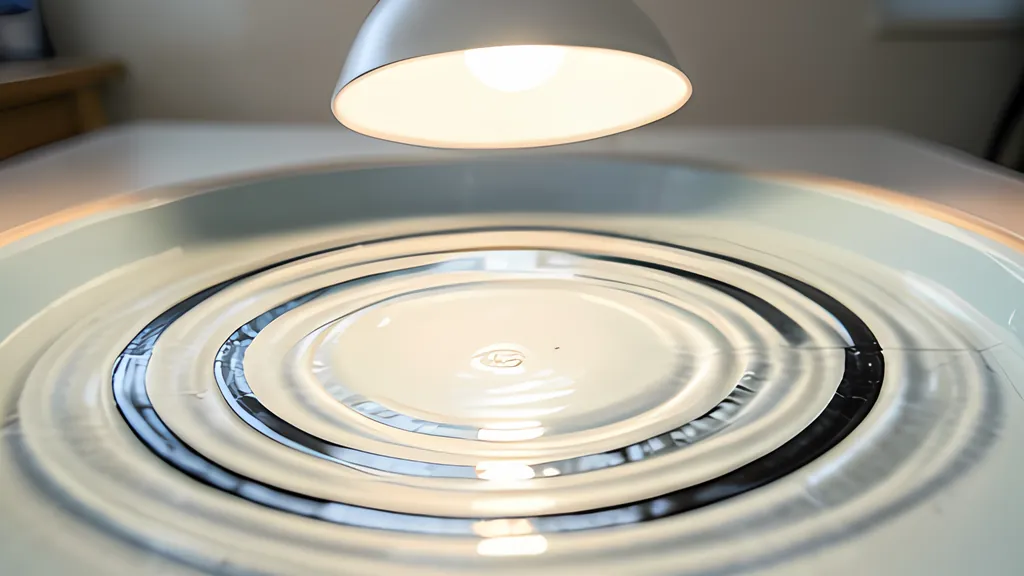
Drop two pebbles into still water and watch the place where their rings cross. Some patches leap higher than either ring alone. Others go flat, as if nothing had arrived at all. Nothing has been destroyed there. Two disturbances have simply arrived at the same moment pulling in opposite directions, and the water does the sum.
That sum is the whole idea behind interference. When two waves overlap, the displacement at each point is the first wave’s displacement plus the second’s. Where crest meets crest the result is taller; where crest meets trough the result can be zero. The double-slit entry on Wikipedia puts it in the language of phase: the summed amplitude, and so the intensity, at any point depends on both the size and the phase of the two arriving wavefronts, and the phase difference comes from the difference in the distance each wave has travelled.
Adding waves, and where they refuse to add
Take two equal waves of the same frequency. If they arrive in step, the combined swing is twice as large. If one lags by half a cycle, they cancel exactly. Anything in between gives an amplitude of twice the single amplitude times the cosine of half the phase difference, which is why a sixty degree lag still leaves about 1.73 times one wave. The two-wave panel under the tank computes this and plots both waves and their sum.
Let the two frequencies differ a little and something else appears. The sum swells and fades in a slow rhythm called beats, at a rate equal to the difference between the two frequencies. Two waves at 2 and 2.25 cycles per second swell and fade together once every four seconds, eight times more slowly than either wave repeats.
Spread the same idea across a surface and the rule becomes geometric. From two sources that vibrate together, every point on the water sits at some distance from each. Wherever those distances differ by a whole number of wavelengths, the waves arrive in step and the water heaves. Wherever they differ by an odd number of half wavelengths, the water stays almost still. A curve of points whose distances to two fixed points differ by a constant is a hyperbola, so the quiet lines fan out from between the sources as a family of hyperbolas. The tool draws them from the formula over the computed field, and the two agree line for line.
There is one honest correction. On a flat sheet of water a circular ripple spreads its energy around an ever larger ring, and the Langtangen and Linge text on wave equations notes that in two and three dimensions energy conservation then forces the amplitude down. A ring’s length grows in step with its radius, so the height falls as one over the square root of distance, the same law the NIST Digital Library of Mathematical Functions gives for Hankel functions of large argument. Because one source is usually a little nearer than the other, its ripple is a little taller, and the cancellation along a nodal line is deep rather than perfect.
Young’s fringes and what they settled
Light posed the same question in a form that nobody could see directly. The MacTutor biography of Thomas Young records that Newton had proposed a corpuscular theory of light and that Newton was held in such high regard that a rival view met severe criticism. Young read a paper called On the theory of light and colours to the Royal Society late in 1801, and it was printed in the Philosophical Transactions for 1802.
In November 1803, according to the same biography, he read Experiments and calculations relative to physical optics. The opening of that lecture, as indexed for the 1804 volume, describes experiments on the fringes of colour that accompany shadows, offered as a simple and demonstrative proof of the general law of the interference of two portions of light. MacTutor adds that the paper used a wave theory to explain interference patterns and described how Young measured the wavelengths of different colours using diffraction.
Wikipedia’s account says that his demonstrations used sunlight, pinholes and cards, and it reproduces a figure from the 1807 printing of his lectures showing two portions of coloured light from two small apertures producing light and dark stripes.
The experiment kept its power long after the argument about light was over. In 1989 Tonomura and colleagues reported in the American Journal of Physics that an interference pattern built up from electrons arriving one at a time, recorded as a movie with an electron biprism and a counting detector. Waves and particles turned out to be two descriptions of one stubborn pattern.
Reading a fringe with a ruler
The famous formula comes from a single approximation. Far from two slits a distance d apart, the extra path to a point at angle theta is d times the sine of theta, and for small angles the sine is nearly the angle itself. Bright fringes then sit at whole multiples of the wavelength divided by d, and on a screen a distance z away they are spaced by z times the wavelength divided by d. Wikipedia’s worked case uses slits 0.5 mm apart, light of 0.6 micrometres and a screen 1 m away, and gets 1.2 mm between fringes.
That shortcut is excellent when the fringes crowd near the centre and poor when they fan out. The tool’s opening scene is a fair test. Two sources 48 mm apart send waves 12 mm long toward a detector line 130 mm away. The small-angle rule puts the first bright fringe 32.5 mm off the axis and the second at 65.0 mm.
Using the true angle, where the sine is a quarter and then a half, the far-field positions become 33.6 mm and 75.1 mm. Solving the exact path difference on the detector line gives 34.1 mm and 76.0 mm. The small-angle answer for the second fringe is about 14.5 percent short, and the fringe table in the tool lists all three columns beside what the simulated tank measures.
Real slits have width as well as spacing. The same Wikipedia article gives the full far-field pattern as a squared cosine set by the spacing, multiplied by a squared sinc set by the slit width b. The sinc factor is zero wherever b times the sine of the angle equals one wavelength, so a single slit 30 mm wide lit by 12 mm waves should go dark at about 23.6 degrees either side of the beam.
In the simulated tank, 150 mm beyond a 30 mm slit, the first dark direction landed within about a third of a degree of that prediction. A 40 mm slit, whose far field begins further out, missed by about a degree, because the detector still sat in the region where the pattern is forming.
A tank of water as a teaching instrument
Long before computers, the ripple tank let a class watch interference instead of imagining it. In 1930 William Baldwin described one in the Review of Scientific Instruments in which point sources were periodic puffs of air blown down onto the water, two or more at a time and easy to move, with a pulsating bar for straight waves. An adjustable stroboscope could freeze the waves or let them creep forward or backward across the projection screen, which is exactly what a slowed animation does now.
The tank also taught its own limits. A 1961 review in Physics Bulletin of a monograph containing some fifty ripple-tank photographs notes that the analogy between water waves and light breaks down over dispersion. In 1984 Hajnal, Templer and Upstill warned that the patterns of light thrown by a tank can mislead anyone who infers the shape of the water surface from them. In 1986 Kuwabara and colleagues measured waves at several depths and found them steepening and deviating from a sine at 0.5 and 1 cm, while above 2 cm they kept an almost permanent sinusoidal form. They still judged ripple-tank experiments appropriate for undergraduate laboratory work and for demonstrating the nature of waves in an elementary course.
How a computer steps a wave forward
A simulated tank replaces the water with a grid of cells and time with a sequence of ticks. Yee’s 1966 paper replaced Maxwell’s equations by a set of finite difference equations, and the same habit of mind drives this tank. For the scalar wave equation, the Langtangen and Linge book, released under a Creative Commons Attribution licence, writes centred differences in both time and space. The next value at a cell depends only on its current value, its previous value and its four neighbours, so each step is a small piece of arithmetic repeated at every cell.
The price of that simplicity is a speed limit. A wave on the grid can only pass information to neighbouring cells, so a time step that lets the real wave travel too far between ticks breaks the scheme. The book calls the wave speed times the time step divided by the cell size the Courant number; Richard Courant, Kurt Friedrichs and Hans Lewy had published a study of the difference equations of mathematical physics in Mathematische Annalen in 1928.
The book’s two-dimensional analysis says the squares of the two directional Courant numbers must sum to at most one. On square cells that means the wave may cross at most 0.707 of a cell per step. Push past it and, as the authors explain, round-off noise two cells long grows exponentially until it swallows the solution. The tool enforces the limit and refuses a saved scene that breaks it.
Staying stable is not the same as being exact. The same analysis gives a numerical dispersion relation: short waves on the grid travel a little slower than the true speed. At a Courant number of one half and 12 cells per wavelength the shortfall along a grid axis is 0.86 percent, falling to about 0.3 percent at 20 cells. Measuring a plane wave in the tool’s own engine gave the same figures to within a few hundredths of a percent, which is why the default wavelength never drops below 12 cells.
The edges need care too. Cerjan and colleagues called reflections from the boundaries of the mesh a nagging problem in 1985: enlarging the mesh only delays them at great cost, and one-way boundary conditions lose effectiveness when waves strike at shallow angles. In 1994 Berenger described a perfectly matched layer for absorbing electromagnetic waves. This tank uses a simpler sponge, a band of rising friction around the visible water, and its measured reflection is under half a percent for 12 cell waves.
What the method cannot do matters as much as what it can. It models a linear scalar wave, so it has none of the steepening Kuwabara measured in shallow water and none of the dispersion the 1961 review warned about. Its walls hold the surface at zero, which reflects a wave upside down where a real glass barrier would not. It is two dimensional, so it says nothing about polarisation or the third dimension of light. Read it as a careful sketch of the mathematics, checked against the formulas, rather than as a photograph of water.
Sources
Every source consulted for this guide. Links checked October 17, 2026.
- I. The Bakerian Lecture. Experiments and calculations relative to physical optics Philosophical Transactions of the Royal Society of London, 1804 (OpenAlex record)
- II. The Bakerian Lecture. On the theory of light and colours Philosophical Transactions of the Royal Society of London, 1802 (OpenAlex record)
- Thomas Young (1773 - 1829) - Biography MacTutor History of Mathematics, University of St Andrews
- Double-slit experiment Wikipedia
- Demonstration of single-electron buildup of an interference pattern American Journal of Physics, 1989, Tonomura and others (OpenAlex record)
- A STROBOSCOPIC RIPPLE TANK Review of Scientific Instruments, 1930, William Baldwin (OpenAlex record)
- Ripple Tank Studies of Wave Motion Physics Bulletin, 1961, G. R. Noakes (OpenAlex record)
- A ripple tank for studying optical caustics and diffraction European Journal of Physics, 1984, Hajnal, Templer and Upstill (OpenAlex record)
- Water waves in a ripple tank American Journal of Physics, 1986, Kuwabara, Hasegawa and Kono (OpenAlex record)
- Finite difference methods for wave equations Hans Petter Langtangen and Svein Linge, CC BY 4.0
- Finite Difference Computing with PDEs Springer, 2017, Langtangen and Linge (OpenAlex record, CC BY)
- Über die partiellen Differenzengleichungen der mathematischen Physik Mathematische Annalen, 1928, Courant, Friedrichs and Lewy (OpenAlex record)
- Numerical solution of initial boundary value problems involving maxwell's equations in isotropic media IEEE Transactions on Antennas and Propagation, 1966, Kane S. Yee (OpenAlex record)
- A nonreflecting boundary condition for discrete acoustic and elastic wave equations Geophysics, 1985, Cerjan, Kosloff, Kosloff and Reshef (OpenAlex record)
- A perfectly matched layer for the absorption of electromagnetic waves Journal of Computational Physics, 1994, Jean-Pierre Berenger (OpenAlex record)
- §10.17 Asymptotic Expansions for Large Argument NIST Digital Library of Mathematical Functions